Orders from the table straight to the kitchen.
TapTapTab is a point of sale for restaurants. Install it on your counter computer, and your waiters take orders on their own phones. Food tickets print in the kitchen and drinks print at the bar, the moment they hit send.
Windows 10 and 11. Your restaurant's data stays on your computer.
Everything a busy floor needs
Built for touch screens and quick hands, from the counter to the patio.
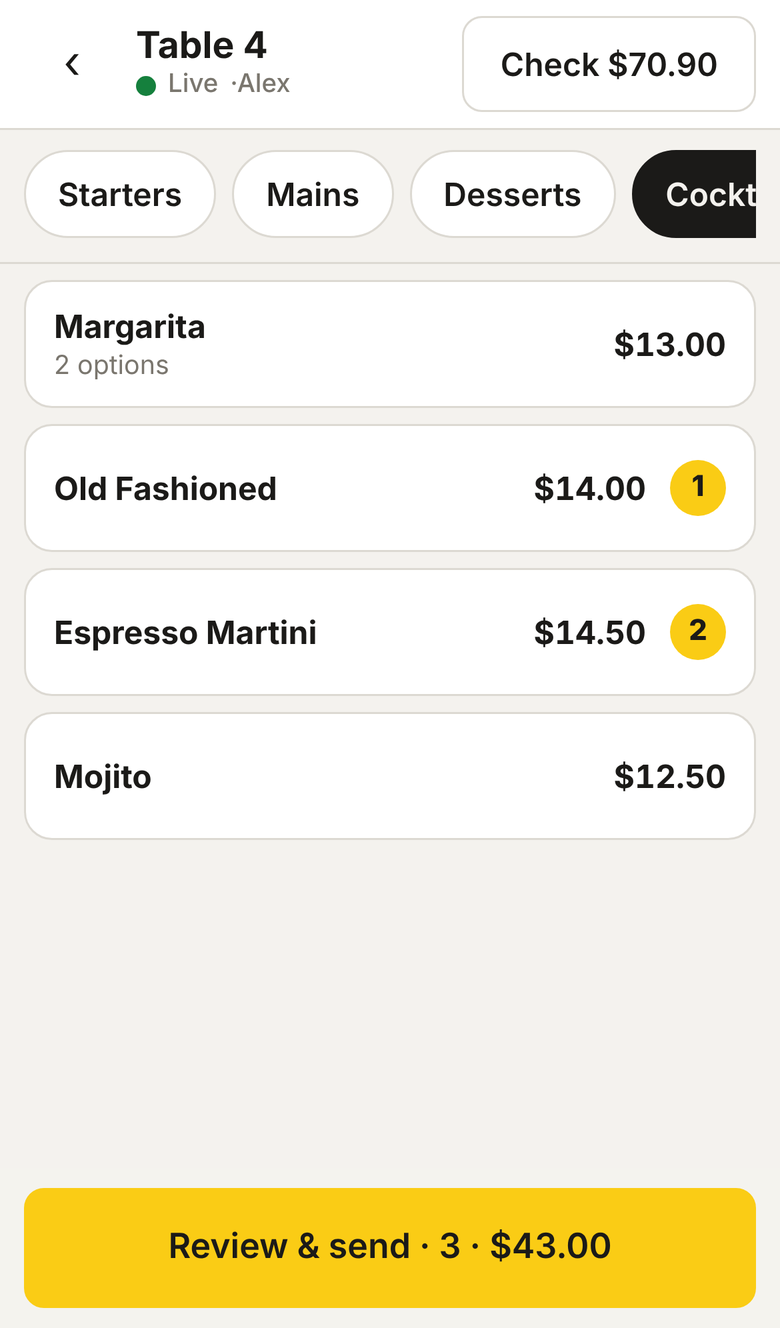
Waiters order on their phones
No extra handhelds to buy. Waiters scan a code, add the app to their home screen, and the whole menu is there.
Kitchen and bar printing
Food goes to the kitchen printer, drinks to the bar, or everything to one printer. You choose. Add-on rounds print only what's new.
Menu always in sync
Change a price or mark a dish sold out on the POS, and every waiter's phone updates instantly.
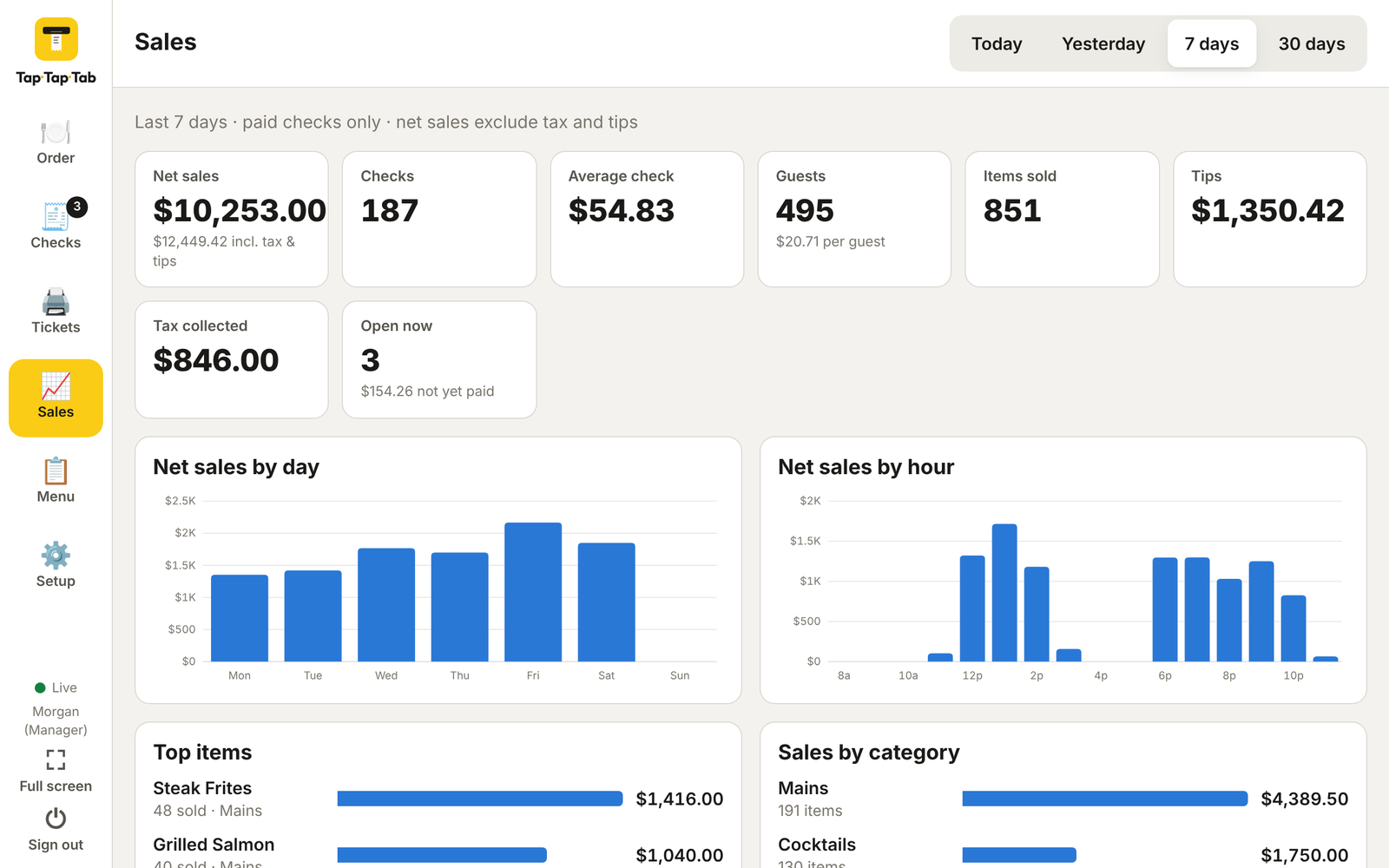
Sales you can read at a glance
Net sales, average check, busiest hours, best-selling dishes, sales per server, tips and payment methods.
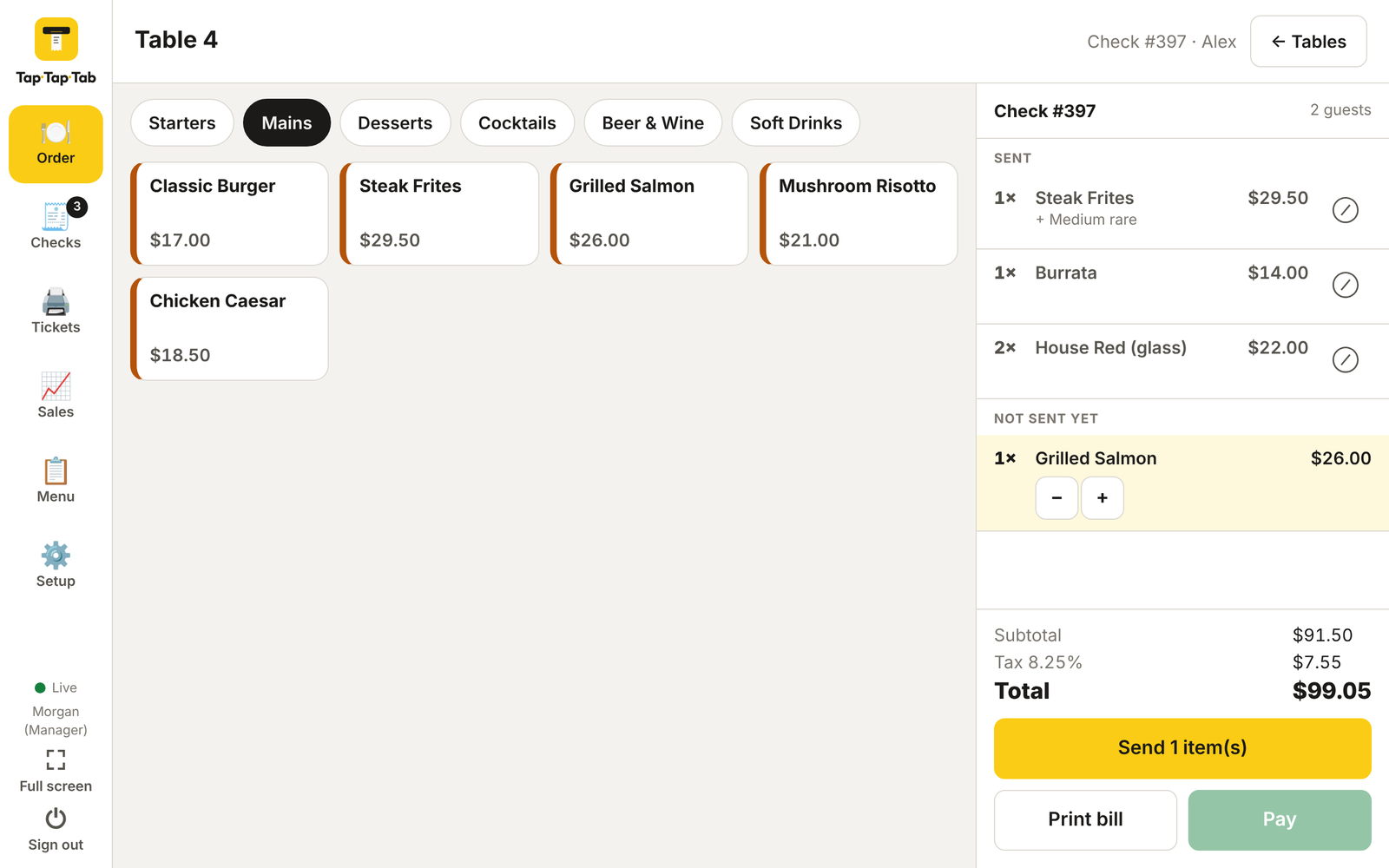
Made for touch screens
Big buttons, number pads for PINs and cash, and tips in one tap. Works on a counter touch screen or a tablet.
Keeps going when Wi-Fi drops
If a phone loses signal, the order is saved and sent the moment it reconnects. It's never sent twice and never lost.
Up and running in an afternoon
Install on your computer
Download TapTapTab for Windows and run the installer. Set up your restaurant, menu, tables and staff PINs.
Connect your printers
Plug your receipt printers into your network and add them in Setup. Most network thermal receipt printers work, including Epson, Star and Bixolon.
Invite your waiters
Turn on online access, and waiters scan the QR code on the POS to install the app on their phones. That's it.
Your data stays on your computer
TapTapTab runs on your restaurant's own computer. Your menu, orders and sales history live there, not in someone else's cloud.
- Automatic backups to your own Google Drive, Dropbox or OneDrive, and one-tap restore
- Each restaurant gets its own secure address, like yourplace.taptaptab.com, so phones connect safely
- Cloudflare relays the connection to your computer; your data is never stored on it
- Every staff member signs in with their own PIN; managers control the menu, sales and setup